Optimize Fleet Operations with the ChargePilot Depot Map
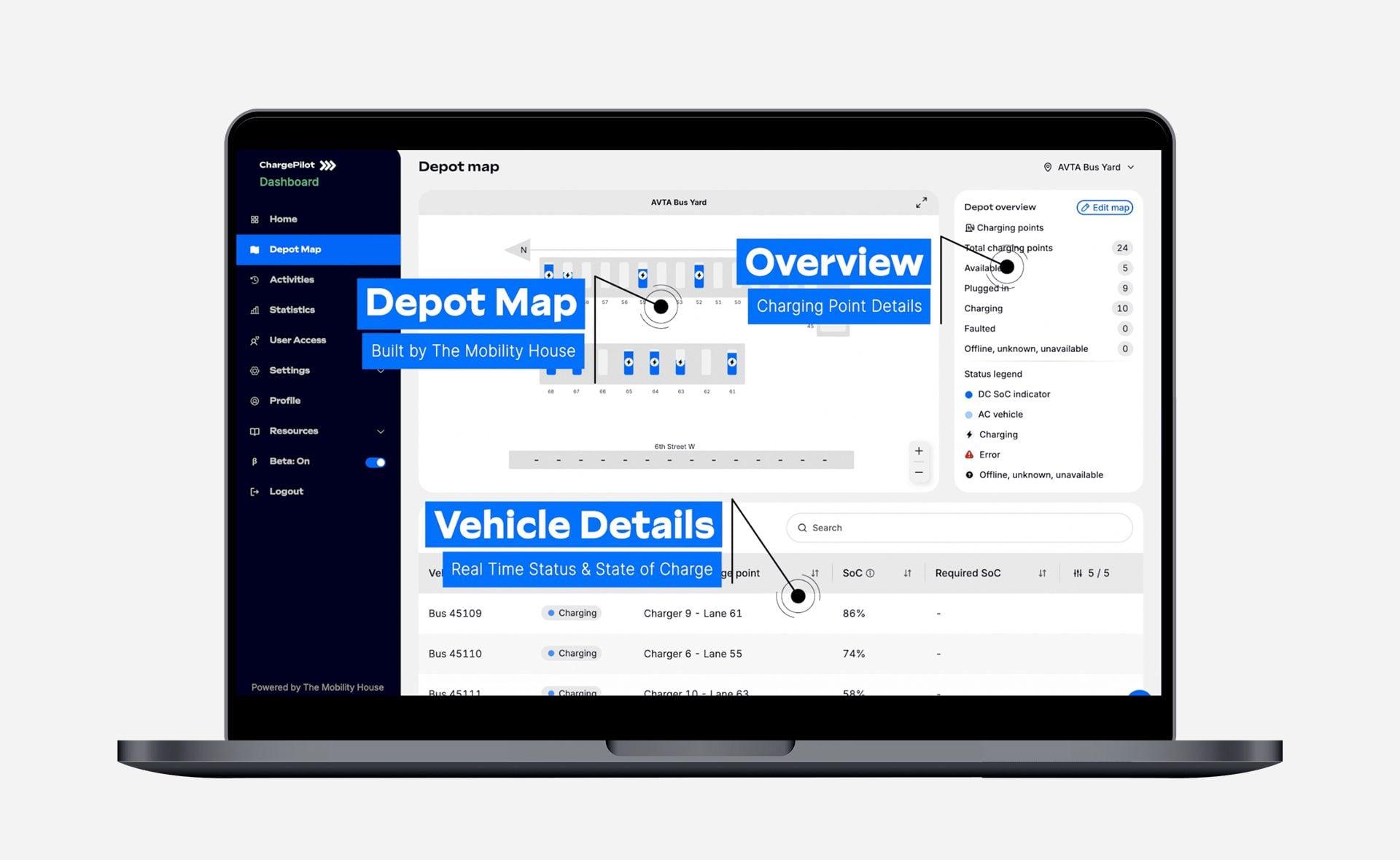
Effectively managing an electric fleet requires transparency and access to real-time data at every step. The new ChargePilot Depot Map is built with these needs in mind, delivering enhanced, actionable insights and smarter visibility into depot operations. Now, fleet managers not only get a comprehensive real-time map view but can instantly locate any vehicle: simply click on a row in the Vehicles Table, and the map highlights the exact row it's in, eliminating guesswork during busy operations.
With a range of custom shapes and text, we can include recognizable objects such as roads, buildings, and restrooms to help drivers and operators navigate with familiarity. To further simplify navigation, all vehicles are displayed in just two distinct shades of blue for AC and DC charging status. This streamlined approach means less visual clutter and more clarity.
These user-driven improvements mean you can monitor your charging infrastructure, find specific vehicles at a glance, and adapt the dashboard to fit how your organization works, all from one powerful interface.
Real-Time Visibility at Your Fingertips
With real-time state of charge, not only will you see what vehicle are plugged in and successfully charging, but you’ll see the vehicle’s color ‘filling up’ its icon to visually show the current state of charge. Once a vehicle has finished charging, their last recorded state of charge remains displayed on the map, so you can track them accurately even after charging completes. Zoom in for granular details or switch to full-screen mode for continuous depot-wide monitoring, ideal for overhead displays or control rooms, keeping your entire operation informed with second-by-second updates.
Track Vehicles and Infrastructure Health
Beyond the visual layout, the updated Vehicles Table is built for speed and clarity, especially in times of charging errors. Simply search or scroll for a specific vehicle. If you see a red caution symbol, then click on its row to instantly locate that vehicle on the depot map. This feature lets you pinpoint the exact asset you’re looking for in seconds, so you can take quick action to rectify the error without wasted time.
The Depot Map also features an Overview panel that summarizes the health of your charging infrastructure. At a glance, you can monitor your total charging points and their current activities. The panel allows you to quickly check for faulted stations, track active charge sessions, see how many vehicles are plugged in, and identify exactly how many points remain available.
Drive Operational Efficiency
The ChargePilot Depot Map takes the guesswork out of fleet management. By combining a customized interface with real-time data and detailed infrastructure overviews, you gain the exact insights needed to keep your vehicles moving efficiently.
Already a ChargePilot® user? Contact our team today to configure the Depot Map to meet your specific operational needs.