
Our North American Developers have been busy, under the hood, to bring many new features to ChargePilot in Q2 this year. Below is a detailed summary of the key features and improvements.
New Feature: Vehicle Preconditioning
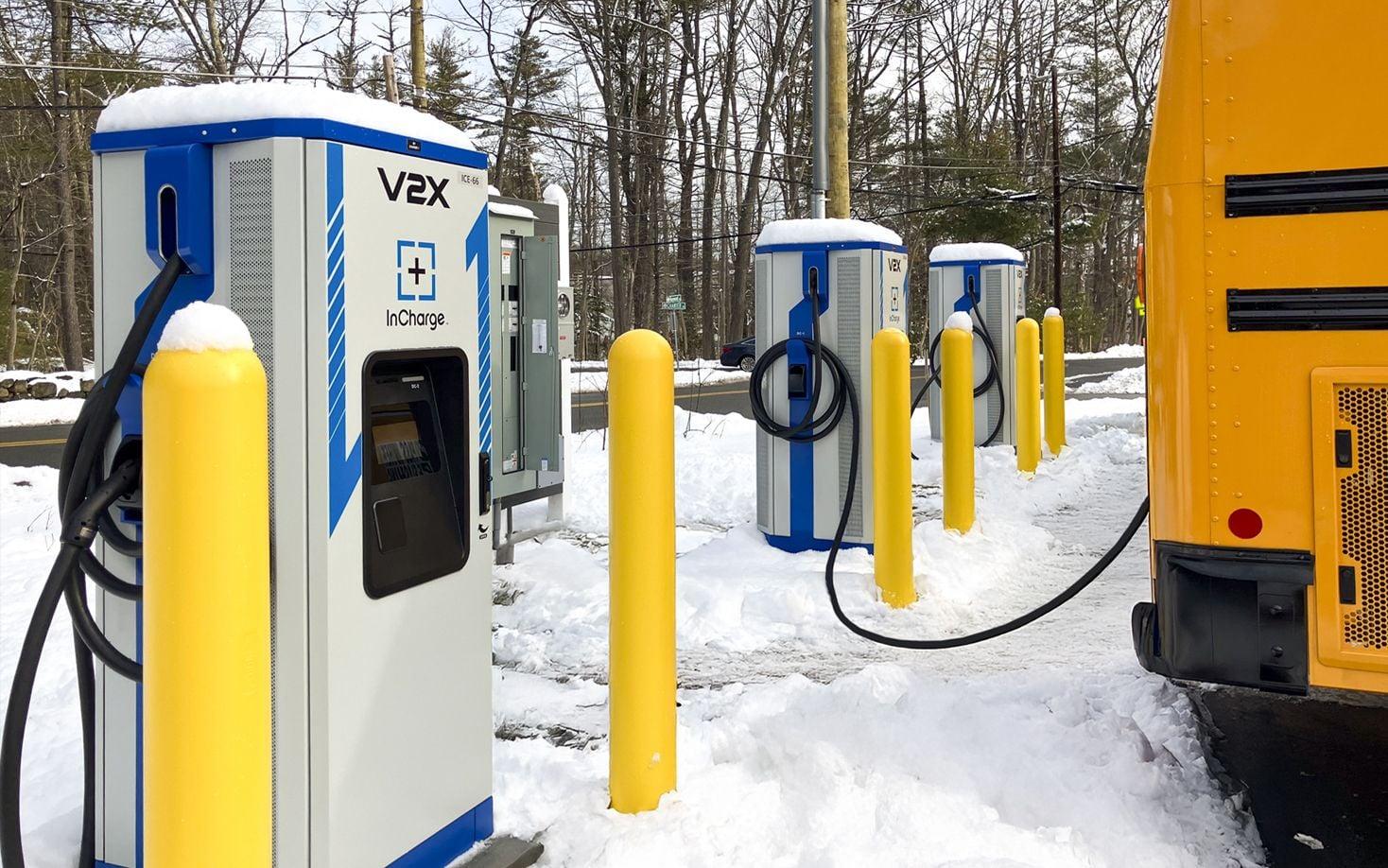
ChargePilot® now supports automated vehicle preconditioning, developed in close collaboration with vehicle manufacturers to deliver a best-in-class, scalable solution for electric fleets. Working across both ChargePilot and Cascade, the system automatically heats or cools a vehicle cabin ahead of its scheduled departure — without reducing available battery power for upcoming routes. By timing preconditioning precisely using the vehicle's scheduled route data, operators can ensure drivers are greeted with a climate-ready vehicle at every pullout, while protecting range.
Customer Value
- Range-preserving comfort: Vehicles are preconditioned using grid power before departure, keeping battery range intact for revenue service.
- Automated and schedule-aware: Preconditioning triggers automatically based on each vehicle's scheduled route, requiring no manual intervention from operators or drivers.
- Scalable and replicable: Built in collaboration with vehicle manufacturers to a proven, repeatable standard that can be deployed consistently across your fleet.
- Seamless integration: Powered by the combination of ChargePilot and Cascade, leveraging your existing infrastructure with no additional hardware required.
- Improved driver experience: Drivers begin every route in a climate-controlled vehicle, supporting comfort and operational readiness year-round.
New Feature: Self-Service User Management
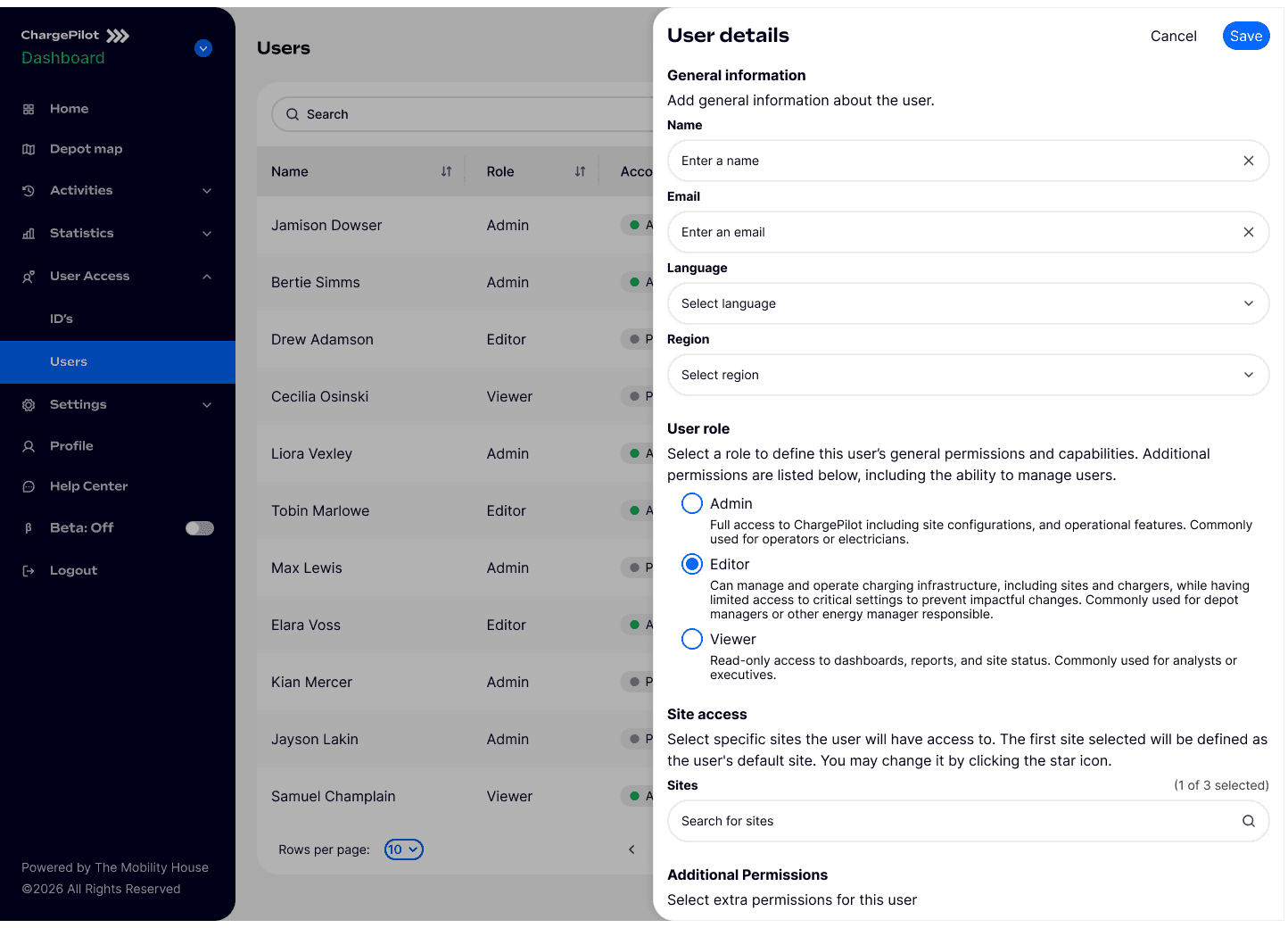
ChargePilot now puts account access control directly in your hands. Designated administrators — as defined by your team — can independently create new user accounts, assign group-level access and feature permissions, and specify which sites each user can view, all within the scope of your organization's sites. This eliminates the need to submit requests to the support team for routine account changes, giving your organization the speed and autonomy to manage access on your own terms. User Management is also available through Single Sign On.
Customer Value
- Operational Efficiency: Create and manage user accounts directly, without waiting on the support team for routine access changes.
- Granular access control: Assign each user the precise combination of group access, feature permissions, and site visibility that matches their role.
- Faster onboarding: New staff or contractors can be provisioned immediately, reducing delays when access is needed quickly.
- Improved security and governance: Administrators can ensure users only see the sites and features relevant to them, reducing unnecessary access exposure.
- Flexible permission structures: Supports a range of user roles across large or multi-site organizations, adaptable as teams and responsibilities evolve.
- SSO support available: Organizations using Single Sign-On can continue to do so; note that SSO and self-service user management operate as separate access methods and are not used in combination.
New Feature: Uptime Reporting
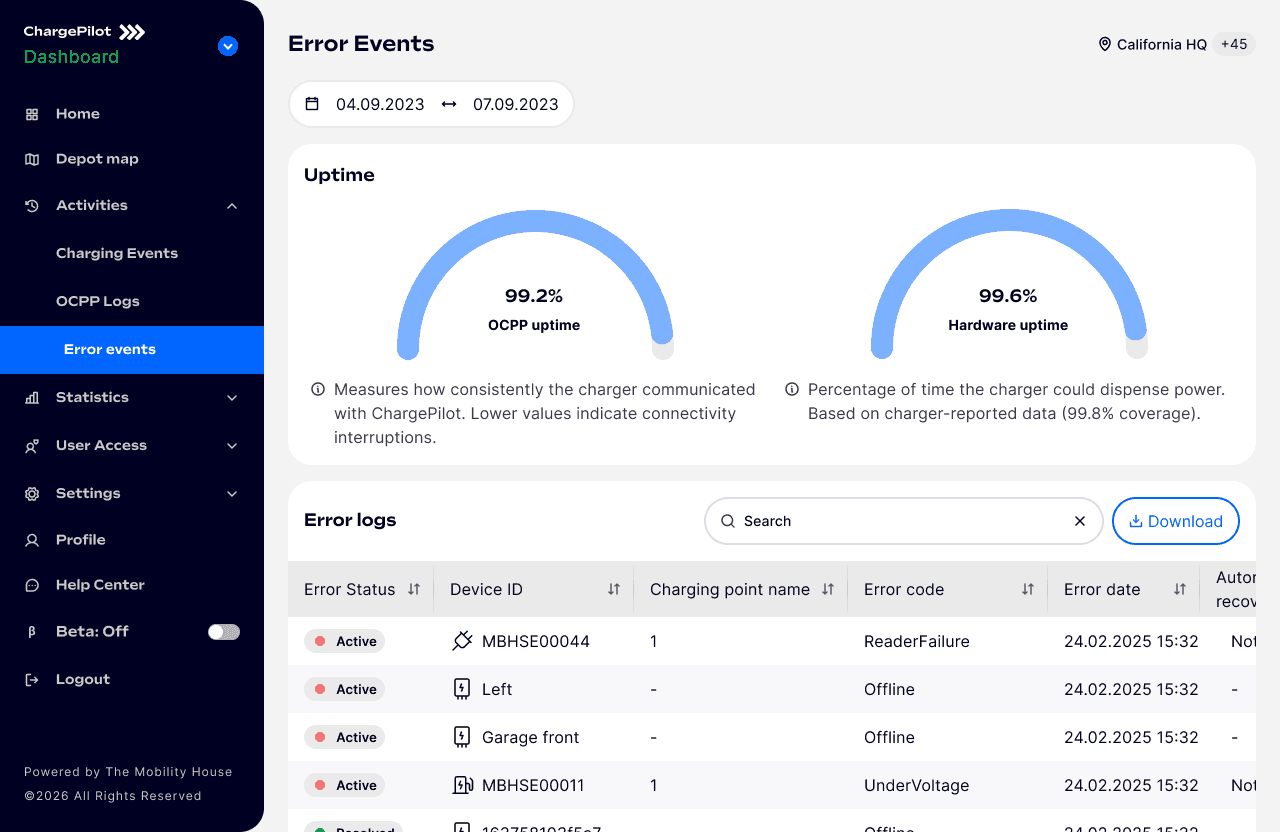
ChargePilot's Error Events page now includes dedicated uptime graphs, giving fleet operators clear visibility into the reliability of their charging hardware over time. Two metrics are tracked side by side: hardware uptime — the percentage of time a charger was capable of actively charging — and OCPP connection uptime — the percentage of time a charger was connected to the ChargePilot system. Both graphs are fully filterable by charger type and support custom date ranges, making it easy to analyze trends across your fleet over any time period.
Customer Value
- Clear hardware reliability metrics: Understand at a glance what percentage of time the charger portfolio was available and capable of delivering a charge, helping teams identify underperforming hardware types.
- Transparent OCPP connectivity tracking: A dedicated connection uptime graph shows how consistently chargers are communicating with ChargePilot, helping distinguish between charger hardware issues and network or connectivity problems.
- Conservative, trustworthy calculations: Because uptime calculations depend on data reported by the charger itself, any period where a charger is disconnected and does not report back is conservatively counted as downtime, ensuring the metric is never overstated
- Flexible filtering by charger type: Segment uptime data by hardware type to identify whether reliability issues are isolated to specific equipment, supporting smarter procurement and maintenance decisions.
- Custom date range selection: Analyze uptime over any time period — from a single day to months of history — to support operational reviews, vendor discussions, or warranty claims.
- Faster root cause analysis: Combining charging uptime and connection uptime in one view with error events helps teams quickly determine charger performance.
Feature Update: Depot Map
ChargePilot’s Depot Map gives fleet operators a real-time, visual view of depot activity so they can monitor charging operations, locate vehicles faster, and improve day-to-day coordination. The feature combines a live depot layout with actionable charging data, showing which vehicles are plugged in, charging status by AC or DC, and each vehicle’s state of charge through dynamic visual indicators. Users can also click a vehicle in the Vehicles Table to instantly highlight its exact row on the map, making it easier to find assets quickly, especially when responding to charging issues. To match real-world depot layouts, the map supports custom shapes and text for recognizable landmarks such as roads, buildings, and restrooms, helping drivers and operators navigate with greater familiarity. An Overview panel adds at-a-glance visibility into charging infrastructure health, including active sessions, plugged-in vehicles, available charge points, and faulted stations.

Enhance fleet operations with real-time charging insights, custom layouts, and vehicle tracking.
Customer Value
- Improved real-time visibility into vehicles, chargers, and charging progress across the depot.
- Faster vehicle location by linking the Vehicles Table directly to the map, reducing time spent searching for specific assets.
- Quicker issue response by helping operators instantly identify vehicles associated with charging errors.
- More intuitive depot navigation with custom layouts that reflect real-world site features like roads, buildings, and restrooms.
- Reduced visual clutter through simplified charging status indicators that make the map easier to interpret at a glance.
- Better support for control-room monitoring with zoom and full-screen views for continuous depot-wide oversight.